
How Client and Server Communicate: A Complete Guide
Every time you open a website, submit an online form, send a message, or use a mobile application, a client and server communicate with each other behind the scenes. This communication allows your device to request information and receive the data needed to display or perform an action.
Understanding client-server communication is important for learning how websites, web hosting, APIs, and online applications work.
What Is a Client?
A client is a device or software application that requests a service or resource from another computer.
Examples of clients include:
- Web browsers such as Chrome, Firefox, and Edge
- Smartphones and mobile applications
- Desktop applications
- Smart devices
- Command-line tools
When you enter a website address into your browser, the browser acts as the client and sends a request to the server hosting that website.
What Is a Server?
A server is a computer or software system that receives requests from clients and provides the requested resources or services.
A web server may deliver:
- HTML pages
- CSS files
- JavaScript
- Images
- Videos
- Database information
- API responses
- Downloadable files
Servers are normally designed to handle requests from many clients simultaneously.
How Does Client-Server Communication Work?
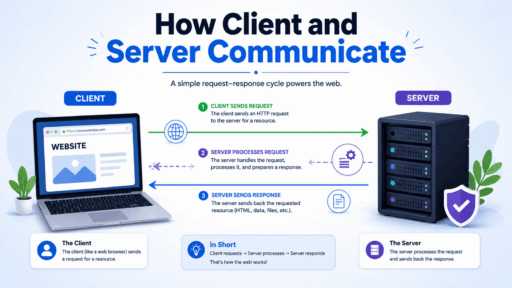
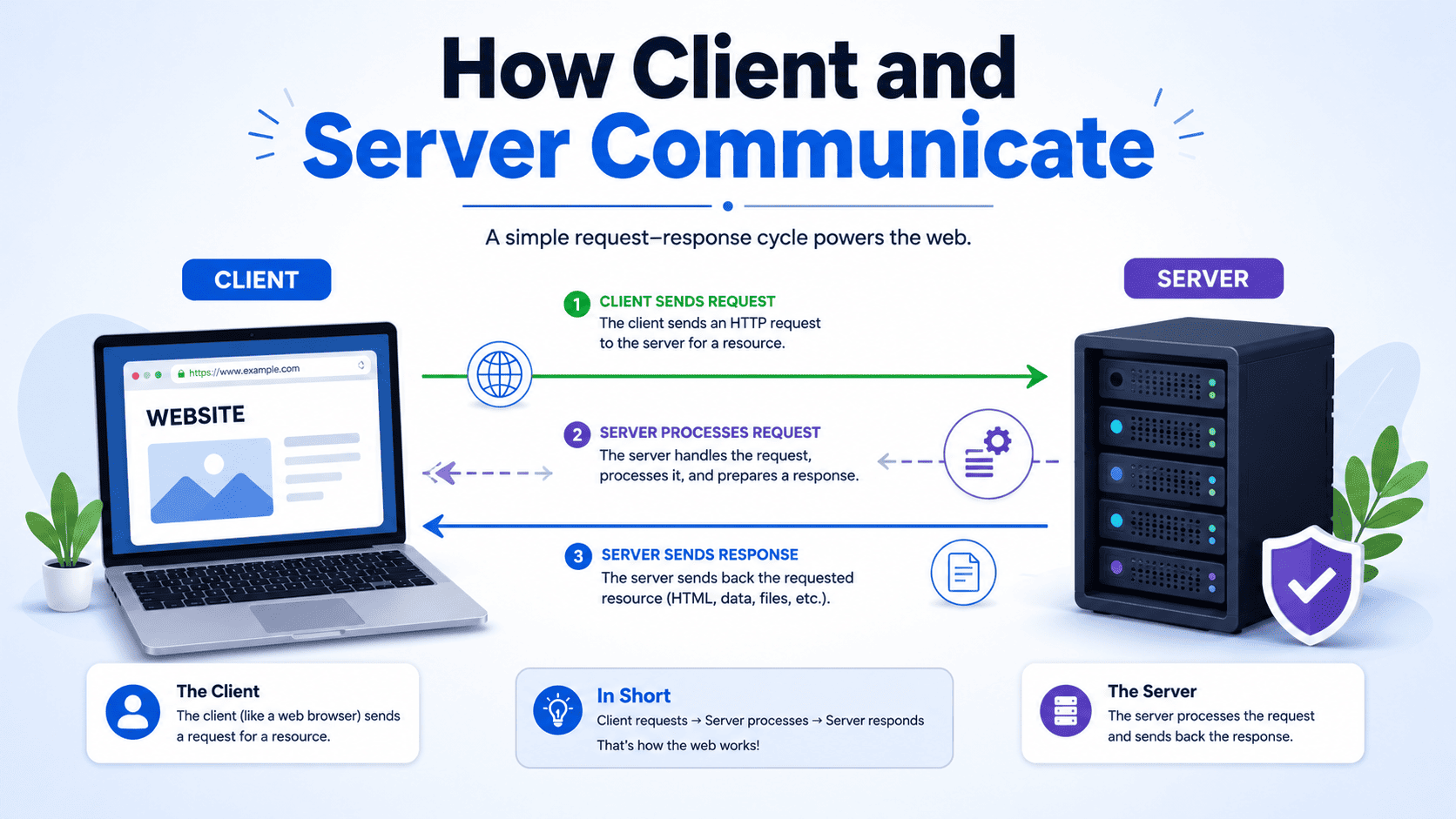
Client-server communication generally follows a request-and-response model.
The process can be simplified into these steps:
1. The Client Sends a Request
Suppose you type:
into your browser.
The browser creates a request asking the appropriate server for the website’s resources.
For a typical website request, this may involve an HTTP or HTTPS request.
2. DNS Finds the Server
Before the browser can communicate with the website’s server, it usually needs to determine the server’s IP address.
The Domain Name System (DNS) translates a domain name into an IP address.
For example:
example.com → Server IP address
This allows the client to locate the appropriate server.
3. A Connection Is Established
The client establishes network communication with the server.
For HTTPS websites, encryption is also negotiated so that information exchanged between the client and server can be protected.
4. The Server Processes the Request
The server receives the request and determines what needs to be returned.
For a dynamic website, the server may:
- Process application code.
- Query a database.
- Check authentication or permissions.
- Generate the requested content.
- Prepare the response.
For example, when you open your account dashboard, the server may retrieve your account information from a database before sending the page back to your browser.
5. The Server Sends a Response
After processing the request, the server sends a response to the client.
The response may contain:
- Requested webpage content
- Images or other files
- JSON data from an API
- HTTP status codes
- Error messages
For example, a successful request commonly produces an HTTP 200 OK response.
6. The Client Displays the Result
The browser receives the response and processes the returned resources.
It then builds and displays the webpage on your screen.
A single webpage may require many additional requests for images, stylesheets, JavaScript files, fonts, and API data.
Simple Client-Server Communication Example
Imagine you visit an online shopping website.
Client: “I need the product page for this laptop.”
Server: “Here is the product information, images, price, and availability.”
The browser then displays that information.
If you click Add to Cart, the client sends another request:
Client: “Add this product to my cart.”
The server processes the request, updates the shopping cart, and sends a response confirming the action.
This request-and-response process happens extremely quickly, often within fractions of a second.
Client-Server Communication Diagram
        CLIENT
   ┌─────────────────┐
   │ Web Browser     │
   │ Mobile App      │
   │ Desktop App     │
   └────────┬────────┘
            │
            │  1. Request
            │  HTTP / HTTPS
            ▼
      ┌───────────────┐
      │ Internet /    │
      │ Network       │
      └───────┬───────┘
              │
              ▼
        ┌─────────────┐
        │ Web Server  │
        └──────┬──────┘
               │
               │ 2. Process Request
               ▼
        ┌─────────────┐
        │ Application │
        │   Server    │
        └──────┬──────┘
               │
               │ 3. Query / Update
               ▼
        ┌─────────────┐
        │  Database   │
        └──────┬──────┘
               │
               │ 4. Data
               ▼
        ┌─────────────┐
        │ Application │
        │   Server    │
        └──────┬──────┘
               │
               │ 5. Response
               ▼
        ┌───────────────┐
        │ Internet /    │
        │ Network       │
        └───────┬───────┘
                │
                │ 6. Response
                ▼
        ┌─────────────────┐
        │ CLIENT          │
        │ Webpage / Data  │
        └─────────────────┘
What Happens During a Website Visit?
Consider a user visiting a hosting website.
Step 1: The user enters the domain name in a browser.
Step 2: DNS helps the browser locate the appropriate server.
Step 3: The browser sends an HTTP/HTTPS request.
Step 4: The web server receives the request.
Step 5: If necessary, the application communicates with a database.
Step 6: The server generates a response.
Step 7: The response travels back to the browser.
Step 8: The browser renders the website for the visitor.
The entire process may happen so quickly that the user simply sees a webpage appear.
HTTP Request and Response
For web applications, HTTP is one of the primary protocols used for client-server communication.
A request can contain information such as:
- HTTP method
- Requested URL
- Headers
- Cookies
- Query parameters
- Request body
Common HTTP methods include:
GET
Used to request information from a server.
POST
Used to send information to a server, such as submitting a form.
PUT
Often used to update an existing resource.
DELETE
Used to request deletion of a resource.
The server responds with a status code indicating what happened.
Examples include:
- 200 OK — Request succeeded.
- 201 Created — A resource was successfully created.
- 301/302 — Redirection.
- 400 Bad Request — The request was invalid.
- 401 Unauthorized — Authentication is required.
- 403 Forbidden — Access is not allowed.
- 404 Not Found — Requested resource could not be found.
- 500 Internal Server Error — Server encountered an unexpected problem.
How Databases Participate in Communication
The web server does not always contain all the information requested by the client.
For dynamic websites, the application may need to communicate with a database.
For example:
Browser
   ↓
Web Server
   ↓
Application
   ↓
Database
   ↓
Application
   ↓
Web Server
   ↓
Browser
Suppose a visitor opens a blog article. The application can request the article’s title, content, author, and other information from the database. The application then uses that data to create the response sent to the browser.
How HTTPS Protects Communication
When a website uses HTTPS, communication between the client and server is protected using encryption provided by TLS.
This helps prevent unauthorized parties from easily reading or modifying information while it travels across the network.
HTTPS is particularly important when websites handle:
- Login credentials
- Payment information
- Personal information
- Account data
- Private communications
This is one reason a valid SSL/TLS certificate is an important part of modern website hosting.
Client-Server vs. Peer-to-Peer Communication
Client-server architecture has a central server that provides services to clients.
In a simplified model:
Client → Server → Client
In peer-to-peer systems, devices can communicate more directly with one another, with each participating device potentially acting as both a client and a server.
Client-server architecture remains extremely common for websites, online stores, SaaS applications, APIs, and many other internet services.
Why Client-Server Communication Matters for Web Hosting
Web hosting provides the infrastructure required for servers to respond to client requests.
When someone visits your website, their browser acts as the client and communicates with the server where your website is hosted.
The quality of this communication can affect:
- Website loading speed
- Reliability
- Security
- Application performance
- User experience
- Availability
A properly configured hosting environment helps the server respond efficiently to requests, while technologies such as caching, CDNs, optimized databases, and suitable server resources can further improve performance.
Final Thoughts
Client-server communication is the foundation of the modern web. A browser or application sends a request, the server processes it, and the server returns a response. For dynamic websites, additional components such as application servers and databases participate in the process.
Although the process may appear simple from the user’s perspective, multiple systems can work together within milliseconds to deliver a webpage or complete an online action. Understanding this communication model makes it easier to troubleshoot website problems, understand web hosting, and learn how modern web applications operate.